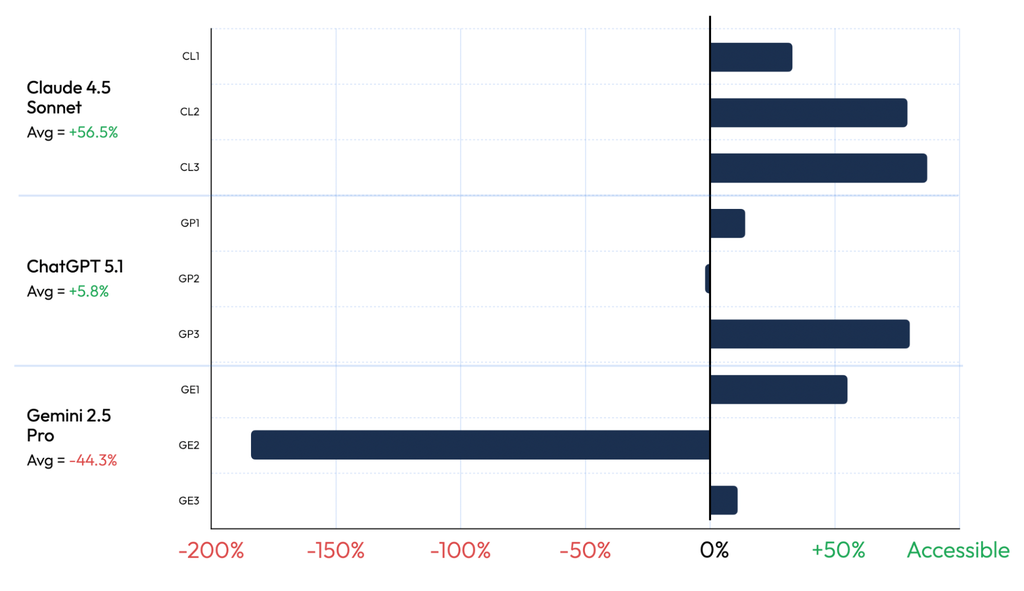
But many teams don’t use models that way. Instead, they provide a sometimes-lengthy set of instructions to the LLM along with the basic work request. These “prompts” are something of a cottage industry, too – engineers compare them, discuss them, and share them.
Indeed, there is a prompt that nearly every accessibility-minded team tries sooner or later:
Follow WCAG 2.2 AA. Use semantic HTML. Make it work with a keyboard.
As a public service, we decided to re-run our experiment from our first discussion but with this in mind.
So we asked the same three models using the same three frameworks to each build a single-page app – so nine apps in total were built. Only this time, we gave the models the exact prompt above to guide the model while it did its work. Then we analyzed the built apps for accessibility defects, exactly as we did before.
Results
In the table below, you can see that the prompt did not fix the problem. It made a trade. Critical defects fell by 57%. Serious defects, the grade just below critical, rose by 49%. The total count of meaningful defects didn’t change.
Exhibit 1. Summary of Results With and Without Accessibility Prompt
BASELINE Average Defects Created Per App (no accessibility prompt)
EXPERIMENT Accessibility Prompt Included
RESULTS % Change, Experiment vs. Baseline
Critical defects
21
9
-57%
Serious defects
24
36
+49%
Critical + serious
45
45
0%
Source: Evinced Web Flow Analyzer. N = 9 apps, built using combinations of 3 frontier models and 3 frameworks. Moderate and minor defects were near zero in both runs; across all grades combined, the net change was a 1.2% decline.
Fixing the famous
Critical bugs – the ones that stop assistive technology users in their tracks – did see measurable improvement and were cut by slightly more than half. So by no means perfect, but definitely better.
What we can say is that when you prompt for accessibility, models are best at cleaning up the problems the internet talks about most. Missing image descriptions. Unlabeled buttons. Jumbled headings. Text you cannot read against its background. Those show up constantly in training data for the models, and they happen to be the worst offenders, which is why the critical count improves while the total barely moves.
The pattern to remember: prompting fixes the famous bugs. Only the famous bugs.
The other side of the trade
Now the price. Serious defects climbed 48.8% on average once we asked for accessibility, and in four of the nine apps the prompt actually increased the serious count. Take Gemini with plain JavaScript: the prompt cleared every one of its 36 critical bugs, but quadrupled its serious count from 10 to 41. Gemini with Svelte fared worst of all: 22 serious bugs became 111, five times as many, and its critical count rose too, 35 to 51.
This is what overcompensation looks like. Chasing the famous fixes, models sprinkle in accessibility markup they do not understand and create brand-new bugs while they are at it.
Thinking about reliability
What it all comes down to is, can your team rely on an LLM’s accessibility results, even when prompted specially?
Recall from Exhibit 1 that on balance, the number of critical + serious defects when using the accessibility prompt was unchanged vs. the baseline.
But we also wanted to show the variability inside that average. To help discuss that, we’ve reproduced the results below for each of our nine trials.
Exhibit 2. Critical and Serious Accessibility Bugs Created With and Without an Accessibility Prompt
Critical and serious bugs per app, as evaluated by Evinced Web Flow Analyzer, with and without the accessibility prompt.
In two of the built apps, the number of critical + serious accessibility bugs was worse than without the prompt at all. In another three, the improvement – i.e., the reduction in bugs – was less than 50%. And in the remaining three, the improvement was substantial. Beneath these averages, we also noticed (not shown) that serious issues increased in four out of the nine trials.
Other researchers have shown better results for prompts, though with similar variability. As an example, Aaron Gustafson reports that base models pass 8 to 25% of automated accessibility checks, and written instructions lift that only to 37 to 60%. And Michael Fairchild’s A11y LLM Eval found the same guidance pushed some models past 90% and left others near zero.
It’s precisely this variability that makes these tools unreliable: a technique that can make things 2X worse depending on which model you happen to use, and under what conditions it builds code, is not a safeguard you can build a compliance program on.
Even written rules get ignored
The strongest evidence is not a statistic. There’s a well-known bug report by Portland, Oregon-based developer Esti Shay where Claude Code states frankly that it treats accessibility as optional no matter what instructions you give it:
“I framed a11y fixes as optional effort rather than as requirements. That’s wrong…For this specific issue, it would be worth framing it as a bias in the model’s decision-making: Claude treats accessibility fixes as optional trade-offs rather than requirements, even when the project’s own rules say otherwise.”
This matters because it closes off the comforting idea that smarter models will fix this on their own. The instructions were right there. The model read them. It shipped inaccessible code anyway.
Check the work, not the worker
If rules are just suggestions to models, where does that leave us? Nine rebuilds later, the lesson is plain: you cannot lecture a model into competence, but you can check what it produces.
In other words, the answer is to guide the model with explicit, ideally deterministic, tests. That is exactly what agent skills do, and in our next post we’ll examine those. Stay tuned.